
Getting started with Tor VPN
Once installed, you can launch Tor VPN from the Play Store by clicking on "Open" or from the list of applications installed on your phone. On the "Connect" screen, by default, all applications installed on the phone are configured to route through Tor VPN with the option "All apps protected" toggled on.
- Pulsa en «Conectar» para iniciar la conexión.
- Se abrirá una ventana de «Solicitud de conexión» para que Tor VPN establezca una conexión VPN.
- Pulsa en «Aceptar».
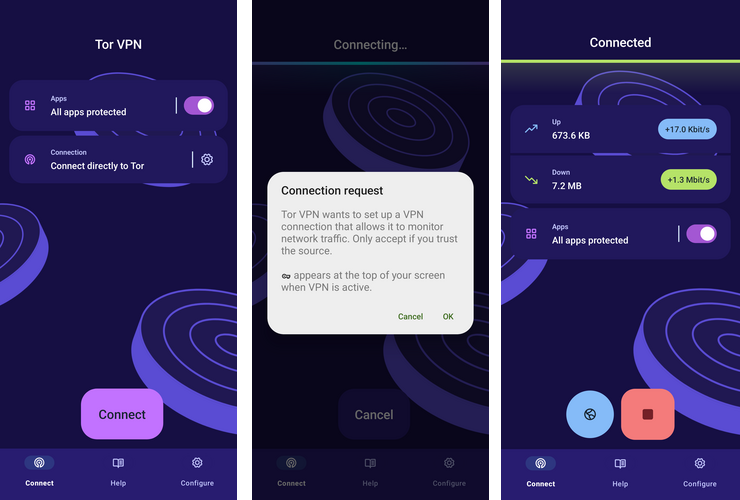
Secuencia de pantalla desde primer lanzamiento para conexión Tor VPN establecida
Conectar automáticamente
You can configure Tor VPN to connect to the Tor network automatically with the previously saved connection settings, every time the app is launched.
- Cuando lanzas la Tor VPN, pulsa en «Configurar».
- Activa «Conectar automáticamente».
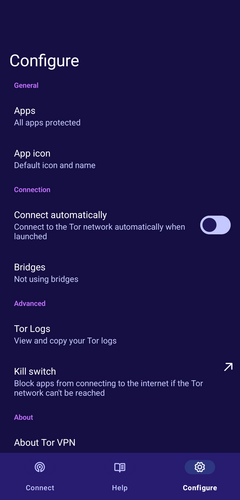
Configuring Tor VPN to connect automatically on every launch.